
Networking with Agents: How to Put Them in the Right Conversations

We briefly considered prompting our agents with the classic networking playbook: polish the profile, craft a compelling personal narrative, ask for warm intros, comment “Insightful perspective” on questionable posts about politics in the workplace. Sadly, this did not help them reach your private Postgres database.
In theory, Firetiger Database Agents can administrate your Postgres, MySQL, and Clickhouse on autopilot. In reality, your database likely lives on a private network, never to be touched by the outside world. Surely you are doomed to a life of database blind spots, pain and suffering, right?
Wrong! Because thanks to good tools like Tailscale, connecting two things on the Internet is finally a solved problem. And now, you can connect Firetiger to your Tailnet, allowing Firetiger DBAs and other Agents to securely observe and operate your privately networked infrastructure.
Why is this needed?
Most interesting databases live on private networks. This creates a real problem for any system running on the Internet, Firetiger included, that needs to actually talk to those databases.
There are a few options to bridge the gap from agent on one network to database on another. VPC peering, but you'll hit overlapping CIDR blocks on the count of three. AWS PrivateLink, which works great if everyone is on AWS and you enjoy configuring Network Load Balancers for fun. Site-to-site VPNs, code for “six hours debugging IPsec tunnels”. Bastion hosts, which are lovely until someone forgets to rotate the SSH keys.
Enter Firetiger Network Transports
We built Firetiger Network Transports as a way to connect agents to private network resources. A network transport is how Firetiger gets from our infrastructure to yours: the underlay for your connections. By default, we use the public internet. But now you can plug in other methods, with the first we're shipping Tailscale.
Tailscale makes connecting two things on the Internet very simple: You install it on both sides, and they can securely talk to each other with end-to-end encryption. It works no matter what cloud you're on, what NAT you're behind, or how your VPC is configured.
With our Tailscale transport, Firetiger joins your Tailnet as an ephemeral device, scoped to the permissions you define in Tailscale’s identity-based access controls. Your database stays off the public internet, without sacrificing secure access.
Here’s how it works:
Grant Firetiger access to your database within your Tailnet
Update Tailscale ACLs accordingly. For example:
{
  // create a new tag for firetiger devices
  "tagOwners": {
      "tag:firetiger": ["autogroup:admin"]
  },
  // Allow firetiger devices to connect to your postgres databases
  "grants": [
      {
          "src": ["tag:firetiger"],
          "dst": ["*"],
          "ip": ["5432"]
      }
  ]
}
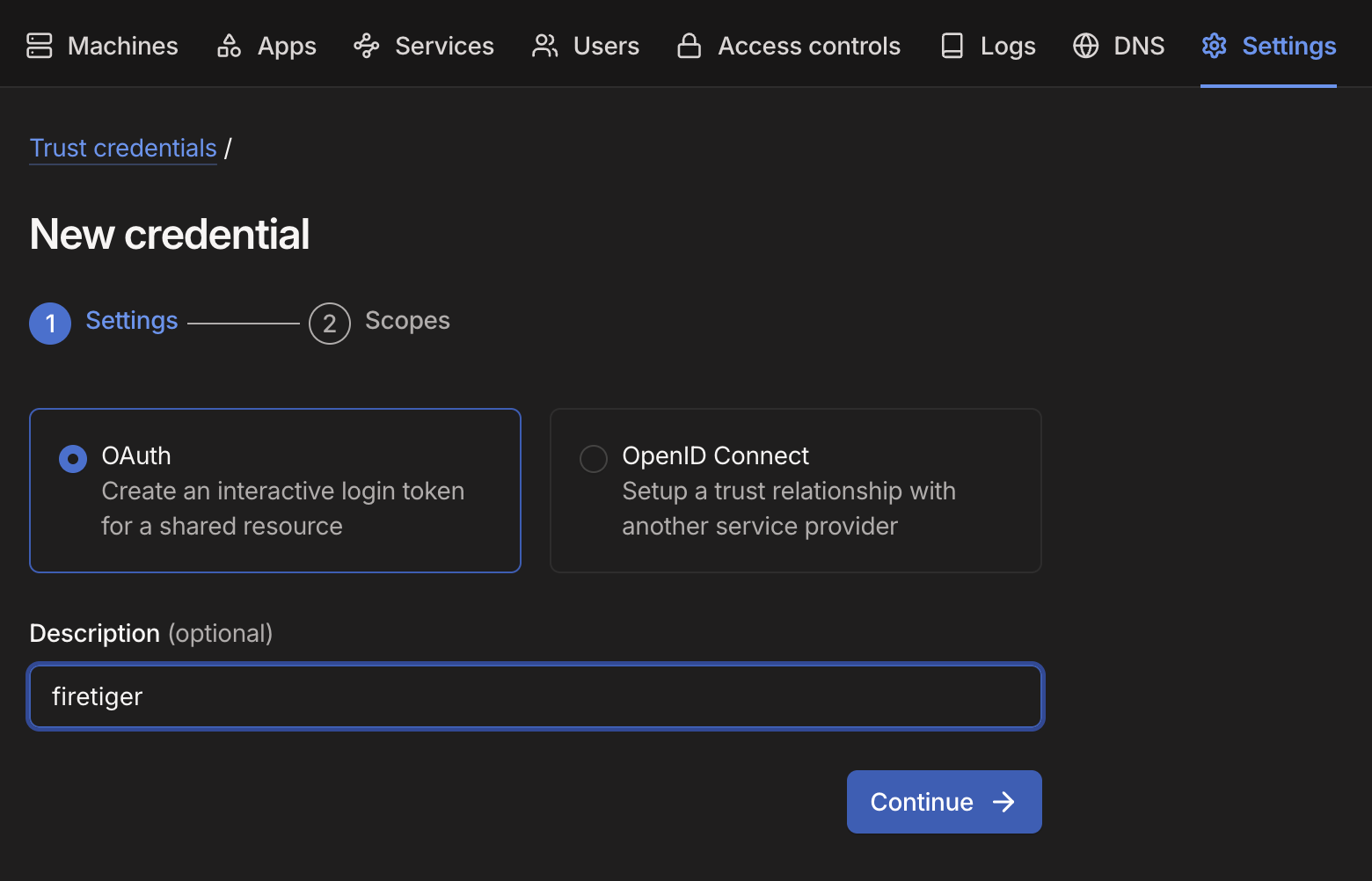
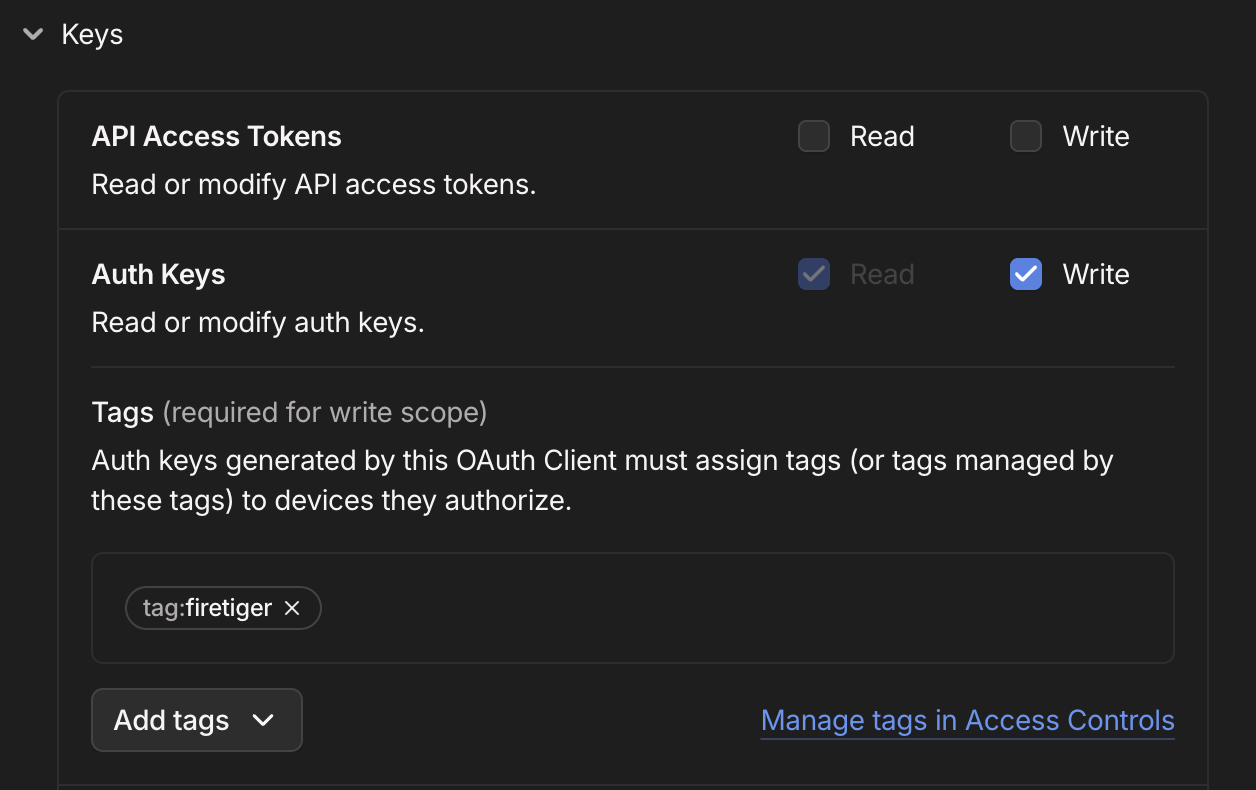
Create Tailscale Credentials for Firetiger
You’ll need to give it permission to write Auth Keys, for the tag you created earlier. This allows Firetiger to connect to your Tailnet using ephemeral devices
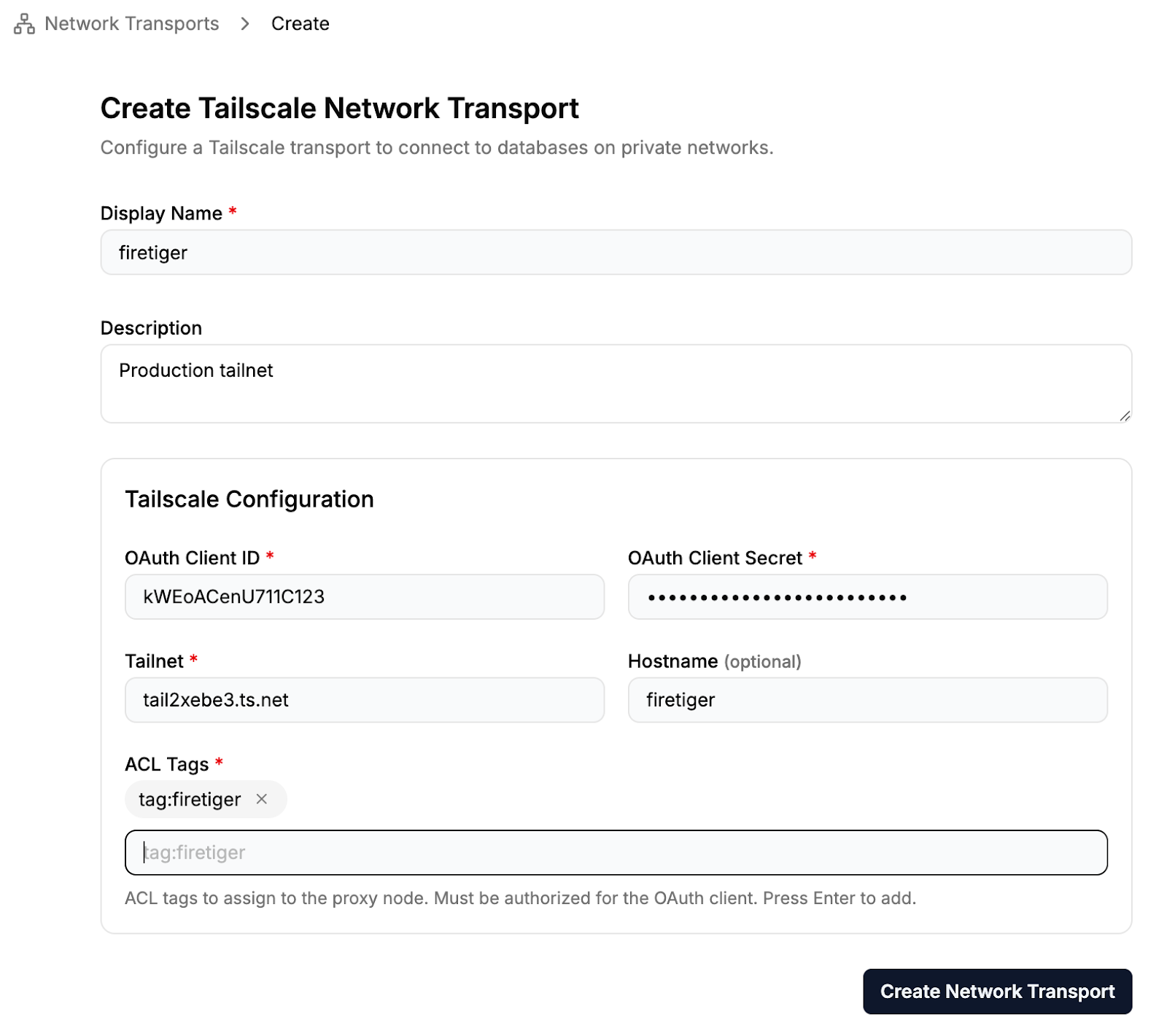
Create a Firetiger Tailscale Network Transport
Firetiger Network Transports allow you to proxy connections to your infrastructure by various means, including Tailscale. Here we create Tailscale Network Transport, and plug in our Tailscale OAuth Credentials:
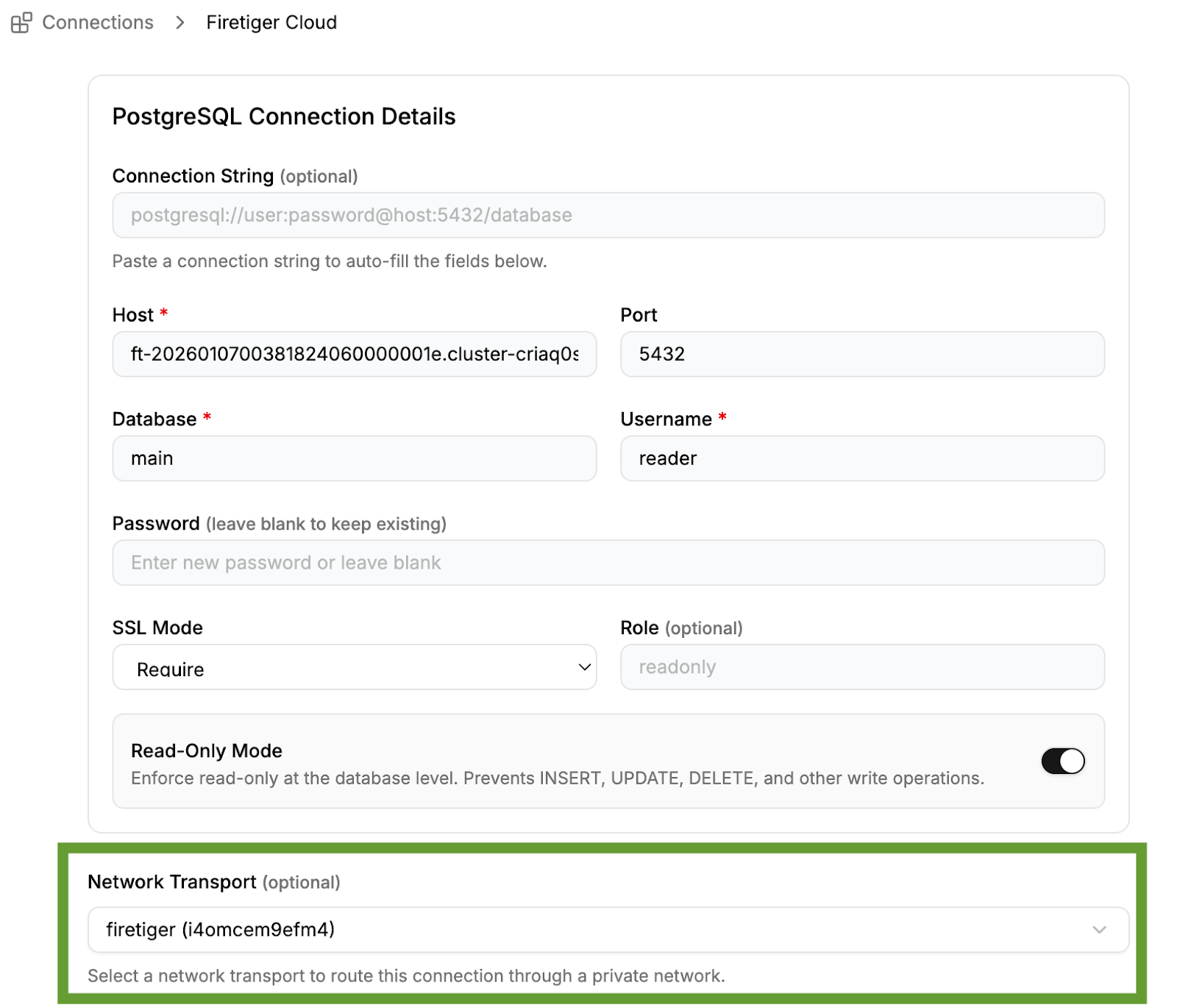
Create a Connection Using Your Tailscale Network Transport
Finally, you can connect your database (or any other connection type) to Firetiger, and configure it to use the tailscale network transport.
Configure your agent
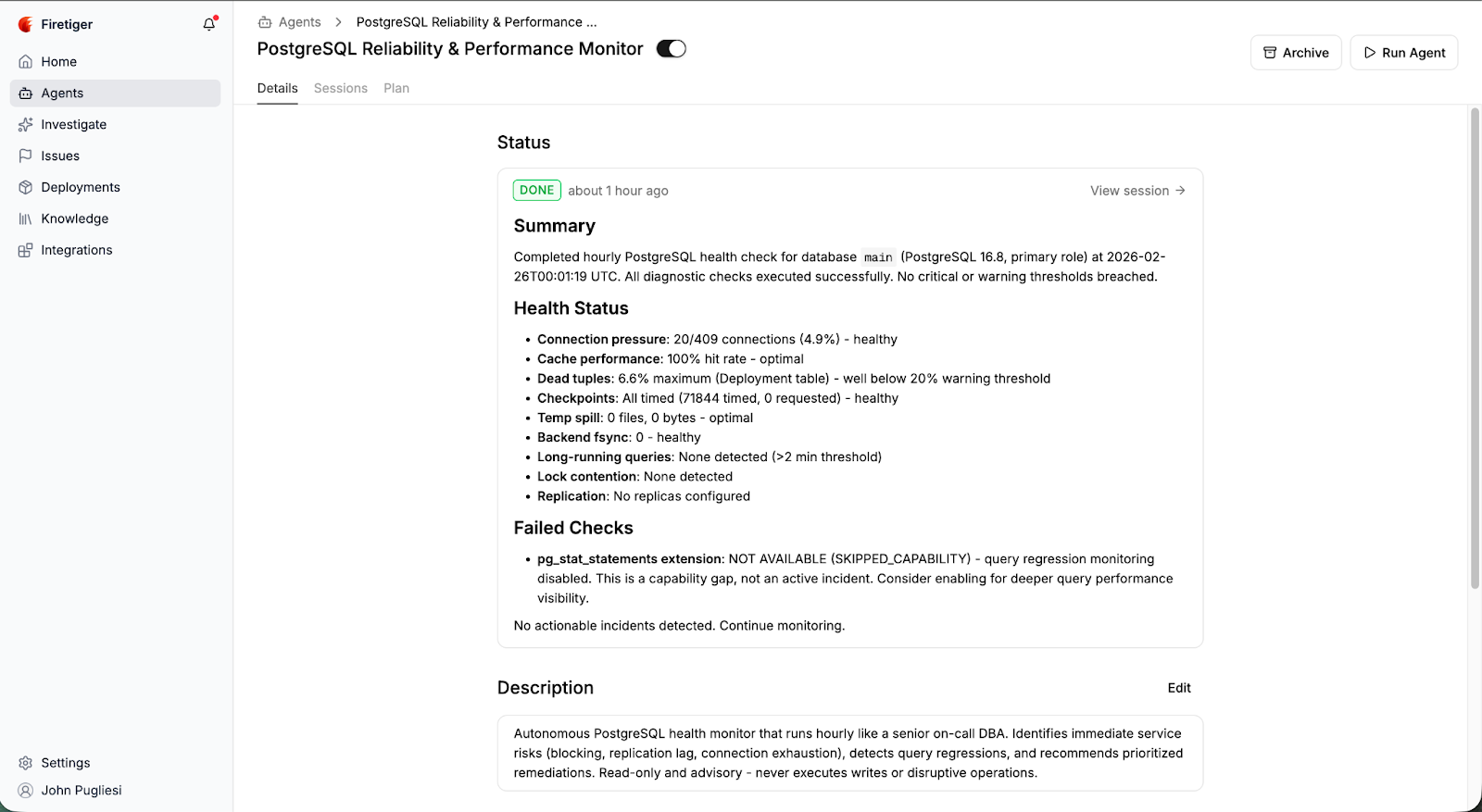
Set up our preconfigured DBA (database agent) to make sure your database is healthy, or build custom agents with outcomes and objectives specific to your company. Thanks to Firetiger Network Transports, our agents can help you get to good outcomes even if your database is ensconced on a private network.
That’s it!
For a complete end-to-end example, check out this guide on how to connect your private database to Firetiger using Tailscale.
You can sign up for Firetiger today and give Network Transports a spin.